
Reducing Journey Bloat by 72% with Automated Exit Rules
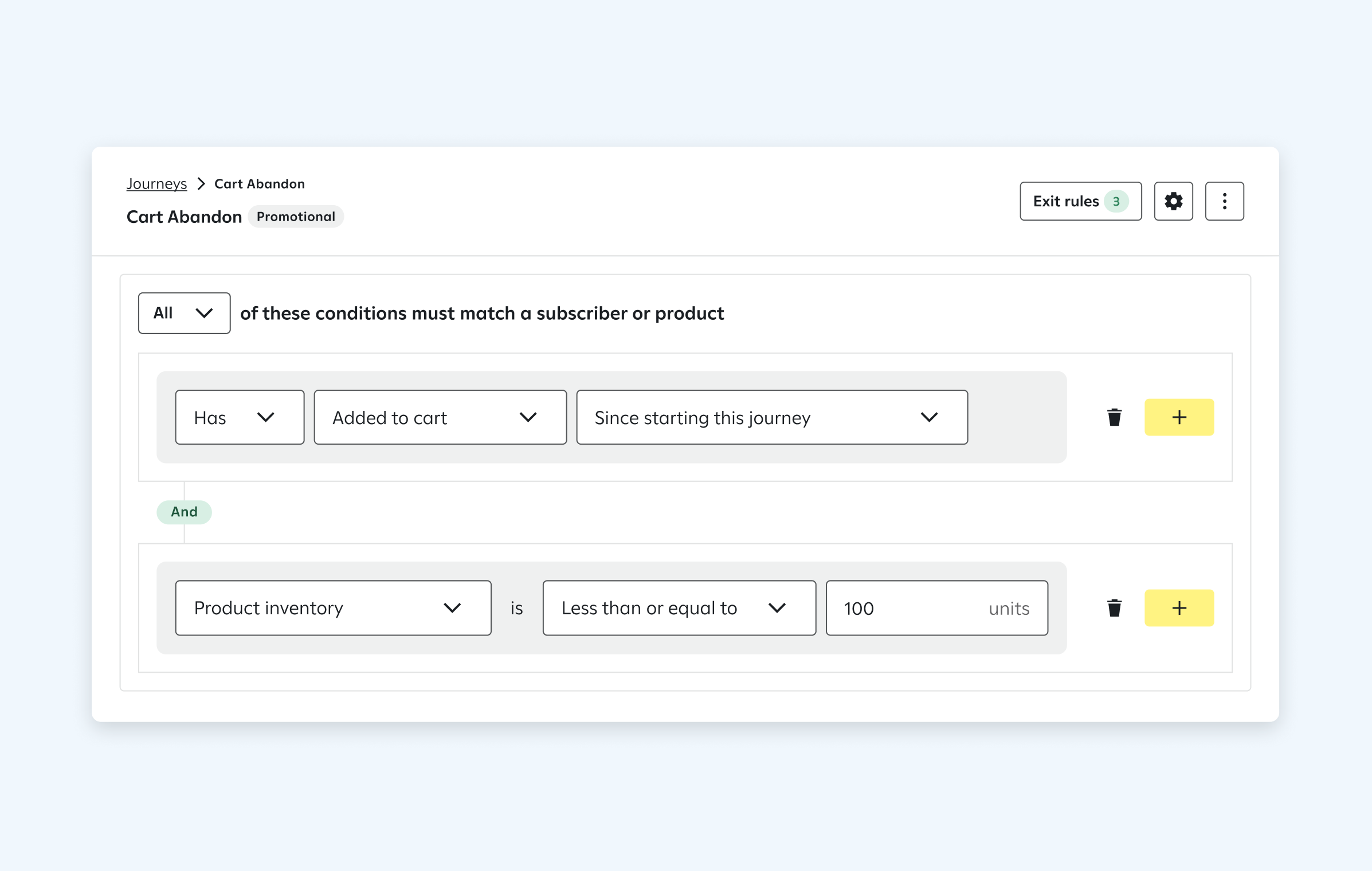
CONTEXT:
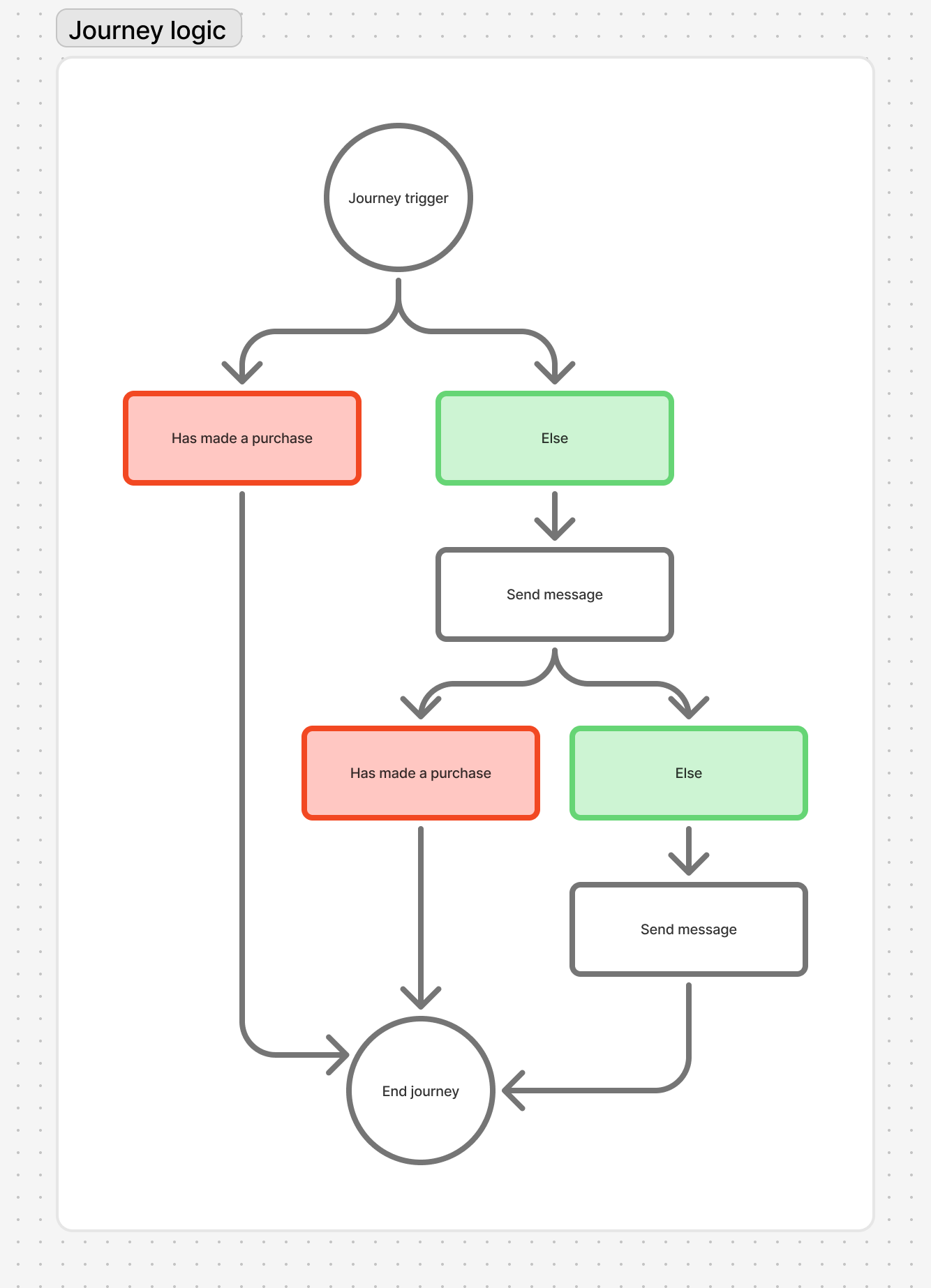
In automated messaging flows (called "Journeys"), marketers set conditions that remove a subscriber if they become ineligible along the way — like exiting a cart abandonment flow once a purchase is made. For each branch a client created, they had to manually add an exit branch. This resulted in very bloated, repitive Journey maps that were frustrating to navigate.
Additionally, marketers couldn't create conditions that are evaluated continuously throughout a journey. They had to manually add branches before every message to check if the action occurred. Journeys looked something like this, with some clients having 20+ branches:
DISCOVERY & USER INSIGHT:
Not only was this feature critical for platform parity with competitors, but this was a major blocker mentioned in RFPs with large enterprises, and was upvoted as a product feature request 75 times. Safe to say we had conviction!
As the design lead, I defined the following UX goals:
Version 1: Entry point via journey trigger settings, opening a drawer to input exit rule logic.
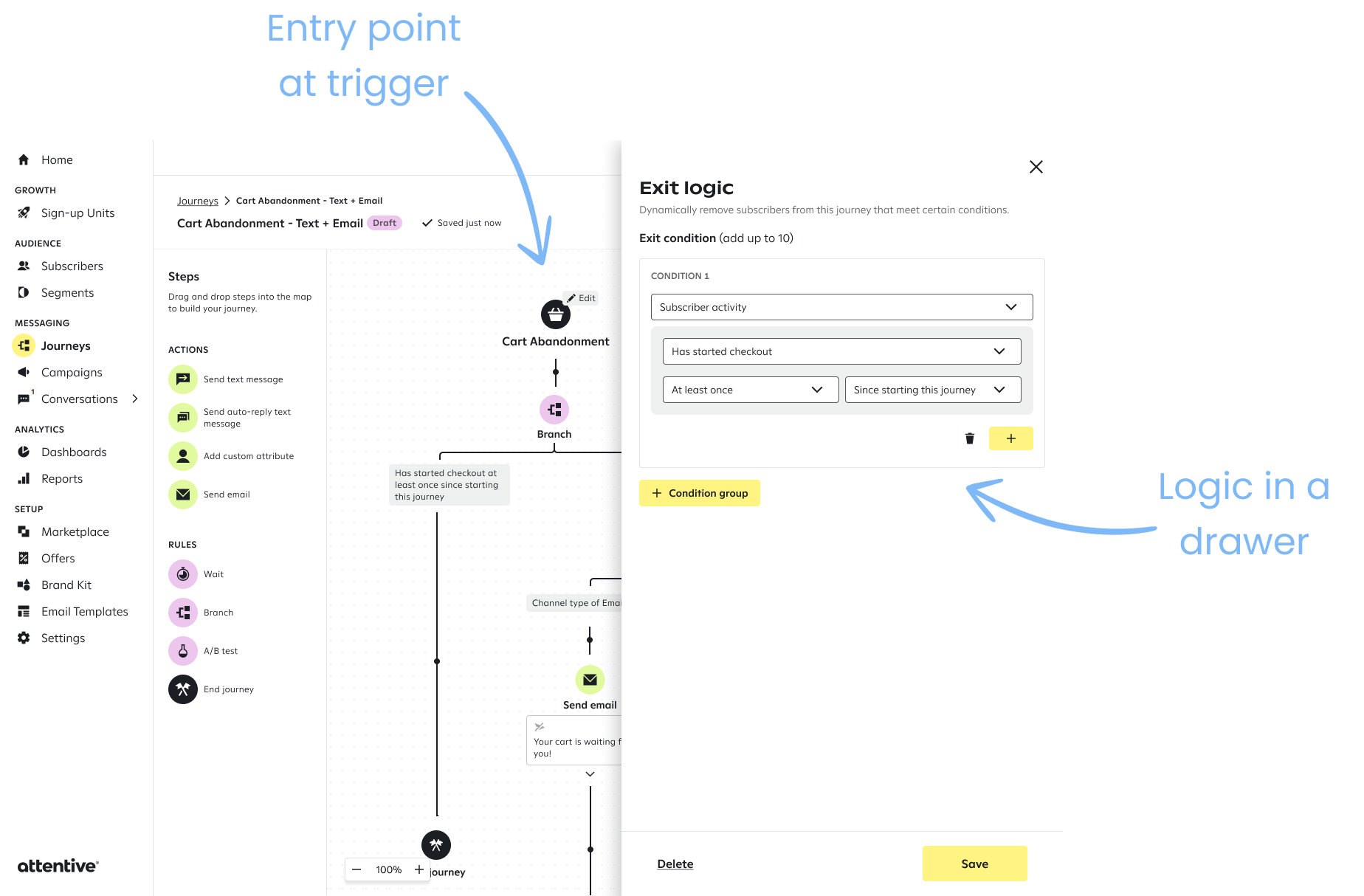
Ultimately, the drawer felt crowded and the entry point implied exit rules were tied to the trigger.
PRODUCT EXECUTION:
We decided to make the entry point in the journey header, where other journey level settings lived. This made it discoverable and easy to access. Exit rules are extremely important for journey operations, so we believed it deserved prime real estate.

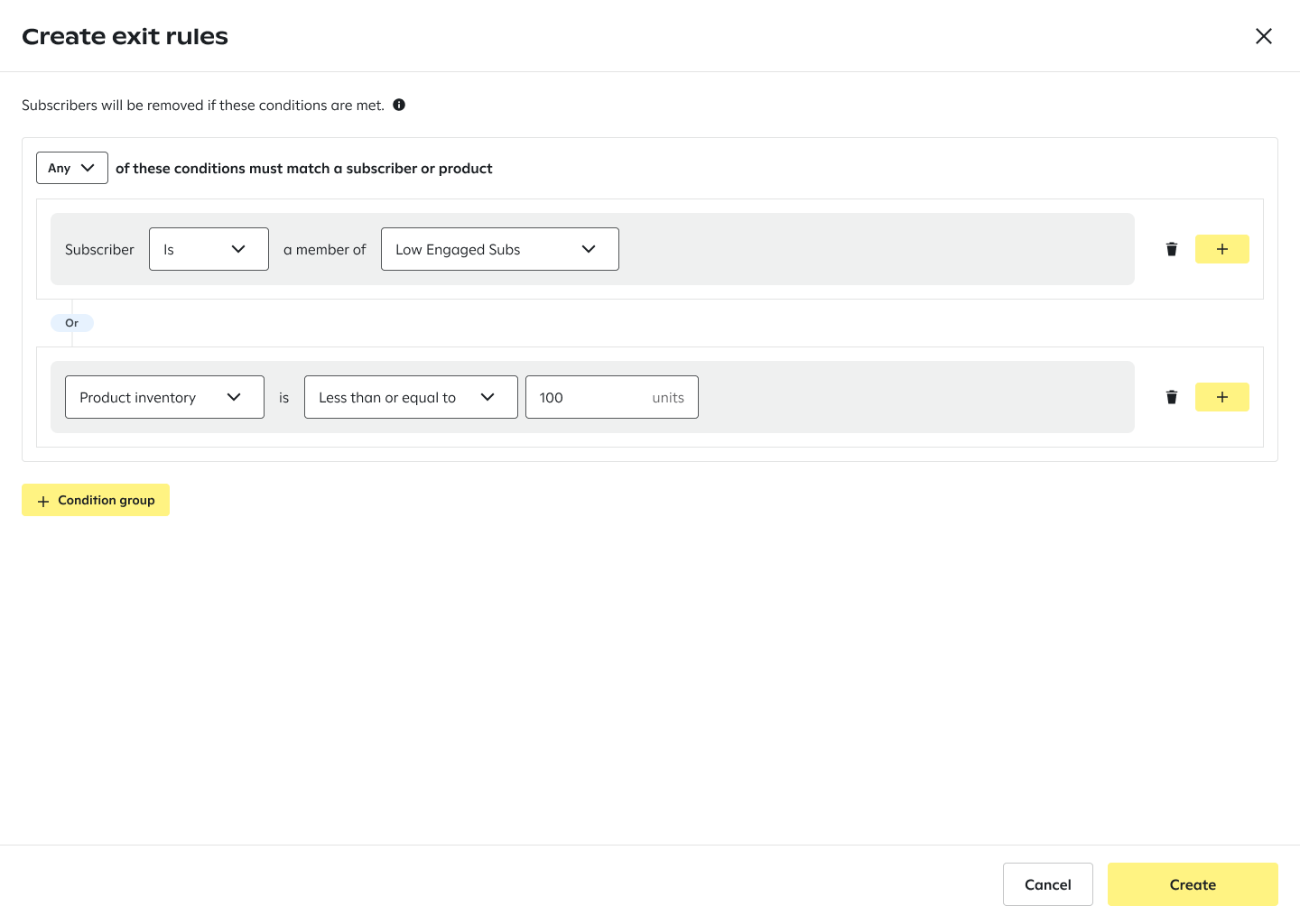
The entry point opens a fullscreen modal, which allows users to create combinations of logic for exit conditions. This foundation of this page reuses components from our Segment Builder, making it a familiar pattern and reduced engineering lift.
Challenge: Users could create dozens of rule combinations depending on the selector type (e.g., product, subscriber action, subscriber characteristic), making the rule-building experience complex.
Solution: We built a “mega-selector” component that first lets users choose a category, then surfaces the relevant conditions for that category. Once selected, we automatically populate the appropriate selectors and remaining logic fields (e.g., timeframes).
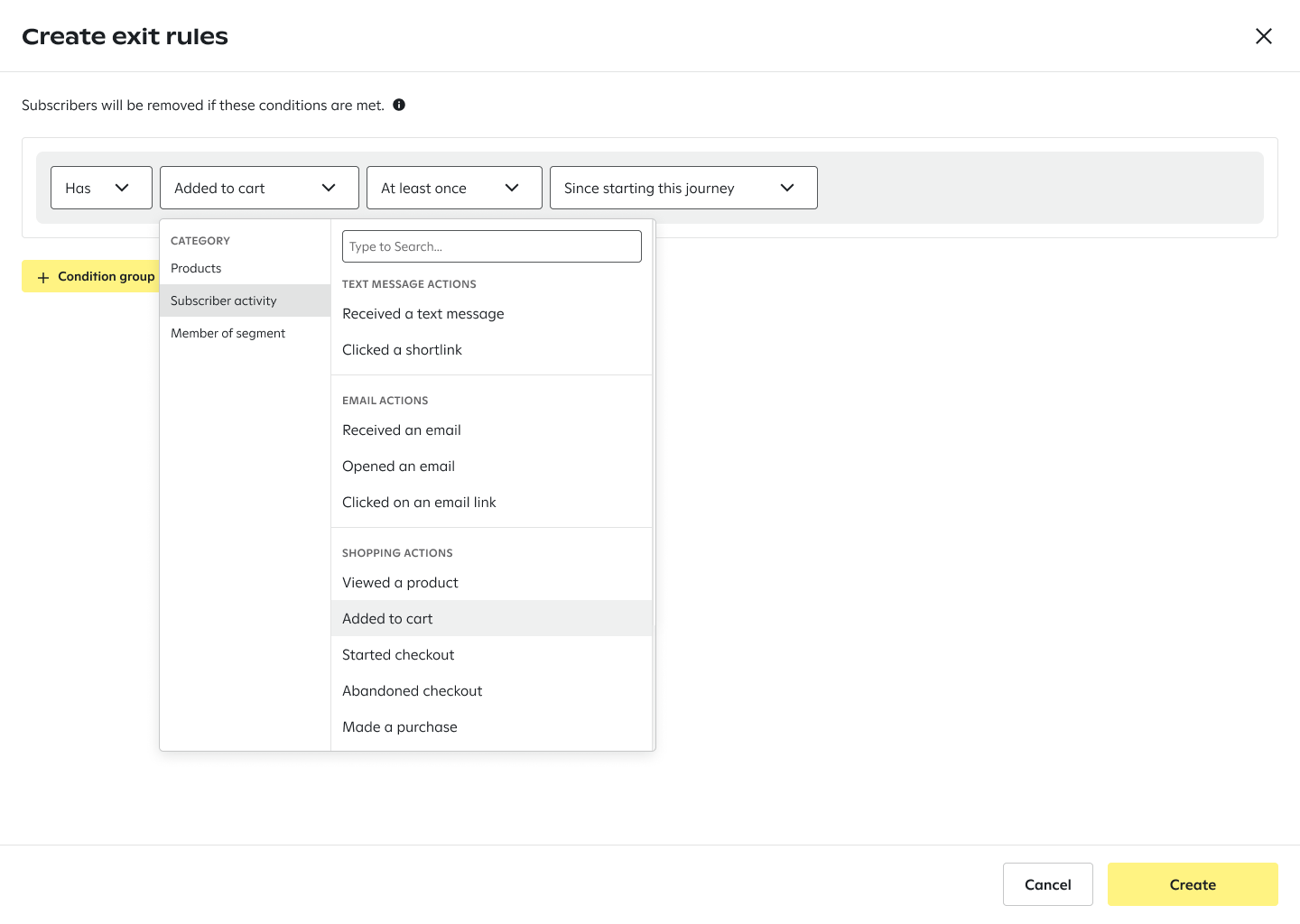
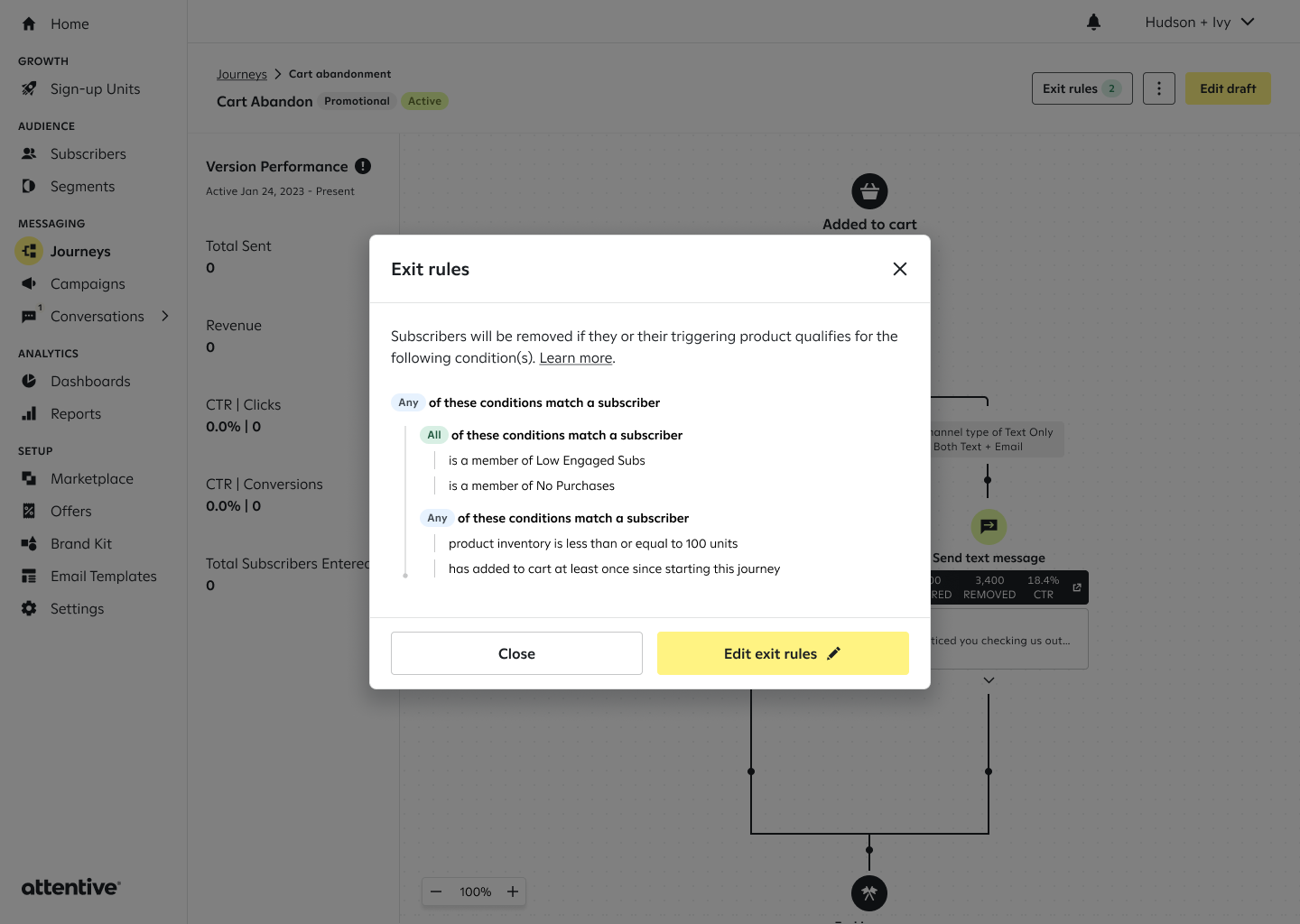
Because we reused our Segment Builder components, we could easily allow users to make combinations of rules, or condition groups.
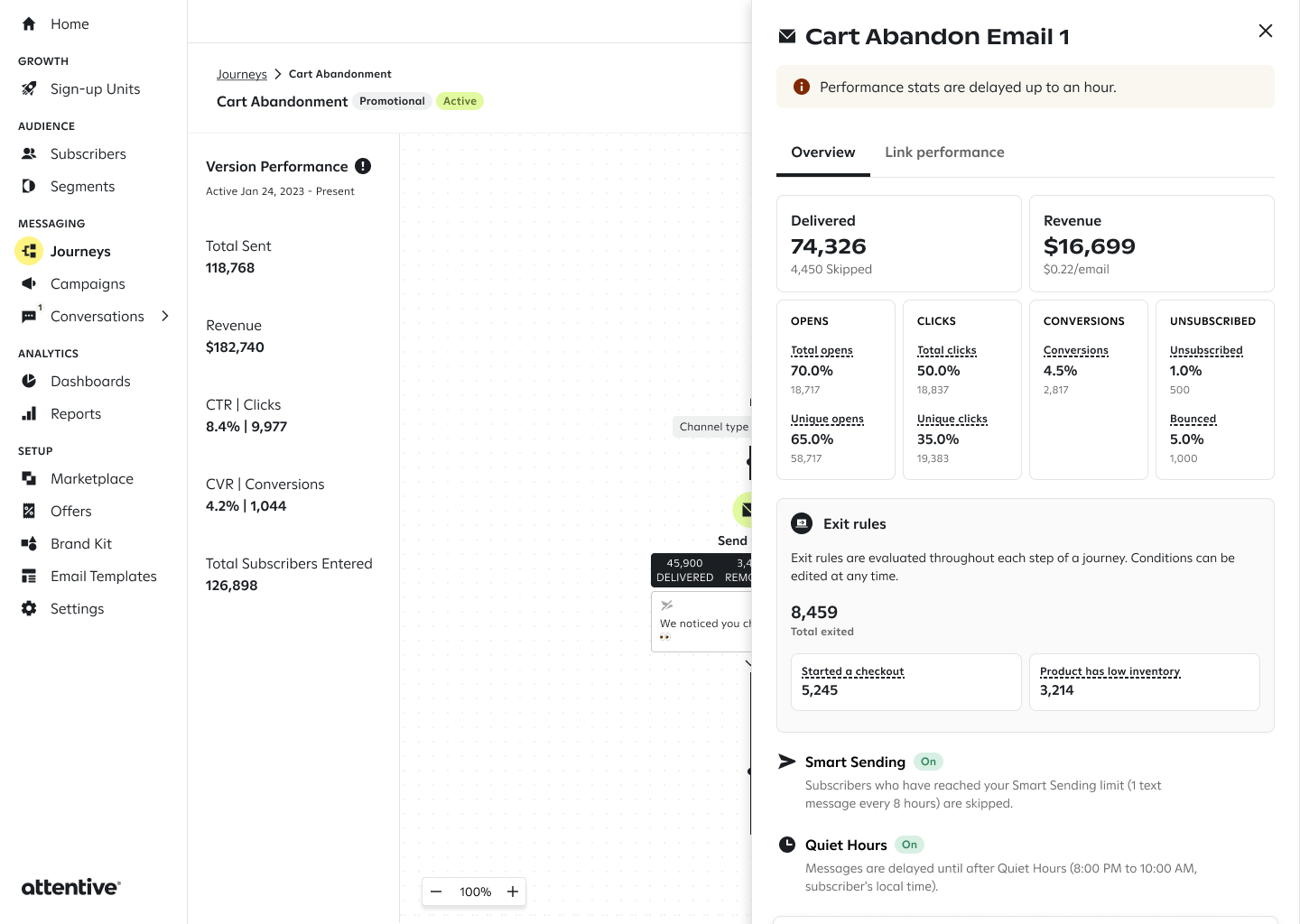
We also added reporting specifically for subscribers removed due to an exit rule, giving clients clear visibility into how many subscribers exited the journey for each condition. This helps marketers:
IMPACT
Within one week of launch, journeys using exit rules saw a median 72% reduction in branches needed. One client earning $50M+ in annual email revenue went from 16 branches to 2 in their core Browse Abandon Journey. By removing repetitive branching, exit rules cut journey bloat and make journey maps easier to navigate — freeing up space for more meaningful personalization and custom logic. This also closes a commonly cited gap in enterprise RFCs and addresses a major platform parity need, helping us better support large enterprises with complex email journeys. Three months post-launch, 1,175 clients have adopted exit rules, creating 12k+ rules. This averages ~10 rules per client, signaling clients are using exit rules to solve real branching complexity.